
Dashboard
Start the day knowing what matters.
Four numbers that describe the state of the business, the handful of things that need doing today, and the deals that have stopped moving — on one screen, calculated from your own records.
No credit card required · Set up in minutes · AUD pricing
Why it matters
What dashboard is for
A dashboard earns its place if it changes what you do in the next hour. Most do not.
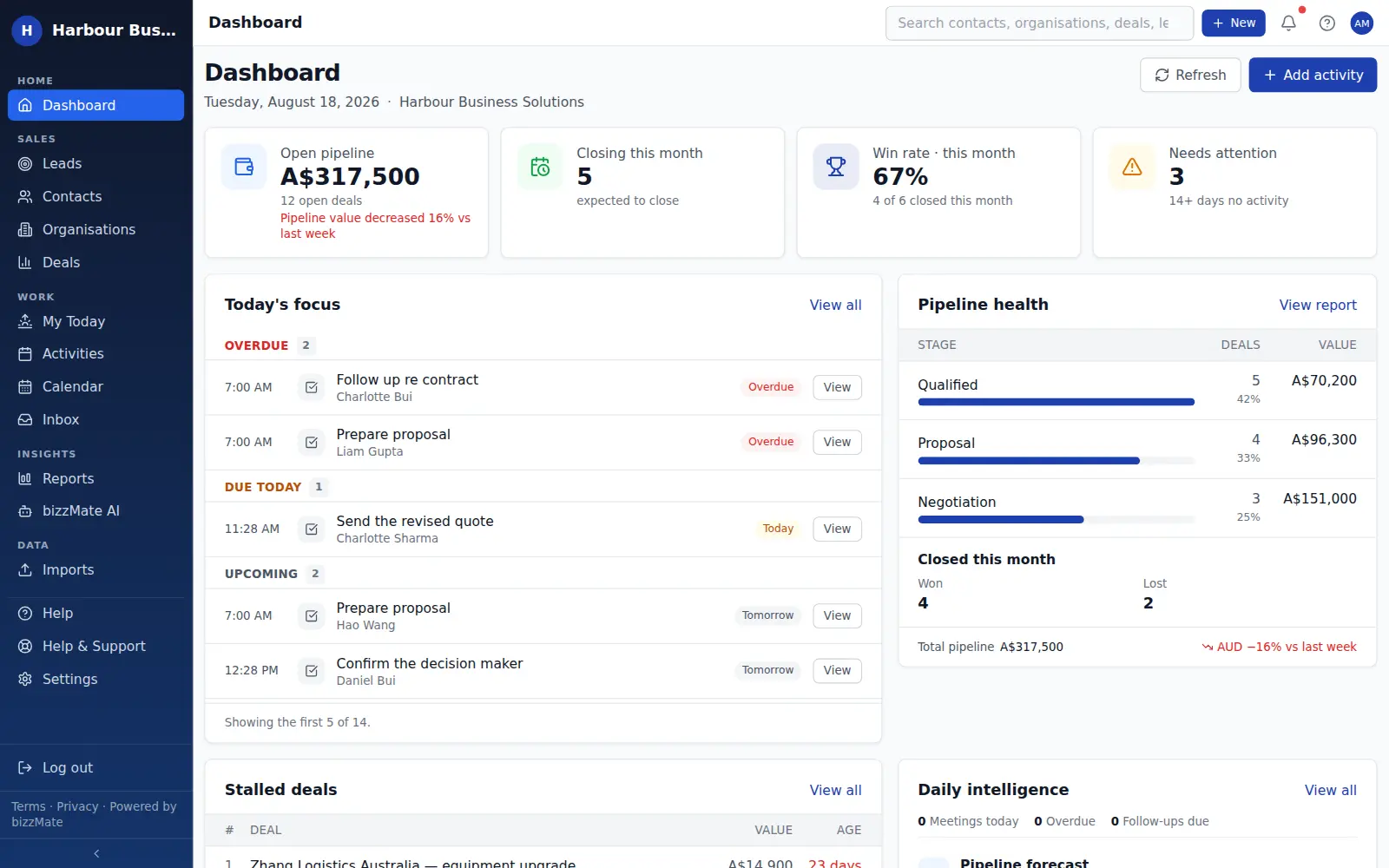
The bizzMate dashboard pairs the numbers with the work: open pipeline and win rate on one side, today's overdue follow-ups and the stalled deals on the other.
At a glance
- Open pipeline, with the change since last week
- Value expected to close this month
- Win rate for the current month, with the deals behind it
- A count of deals with no recent activity
- Today's focus — the overdue and upcoming activities that need you
- Pipeline health by stage, and the stalled deals list
Capabilities
What it actually does
Every item below is a shipped part of bizzMate today — not a roadmap entry.
Numbers you can trace
Every figure is calculated from your workspace's own records and labelled with the period it covers. bizzMate never shows a metric it cannot derive, and never invents a comparison.
Pipeline health by stage
Deal count and value in each stage, with the proportion of your pipeline sitting there — so you can see whether the problem is at the top or the bottom.
The work, not just the score
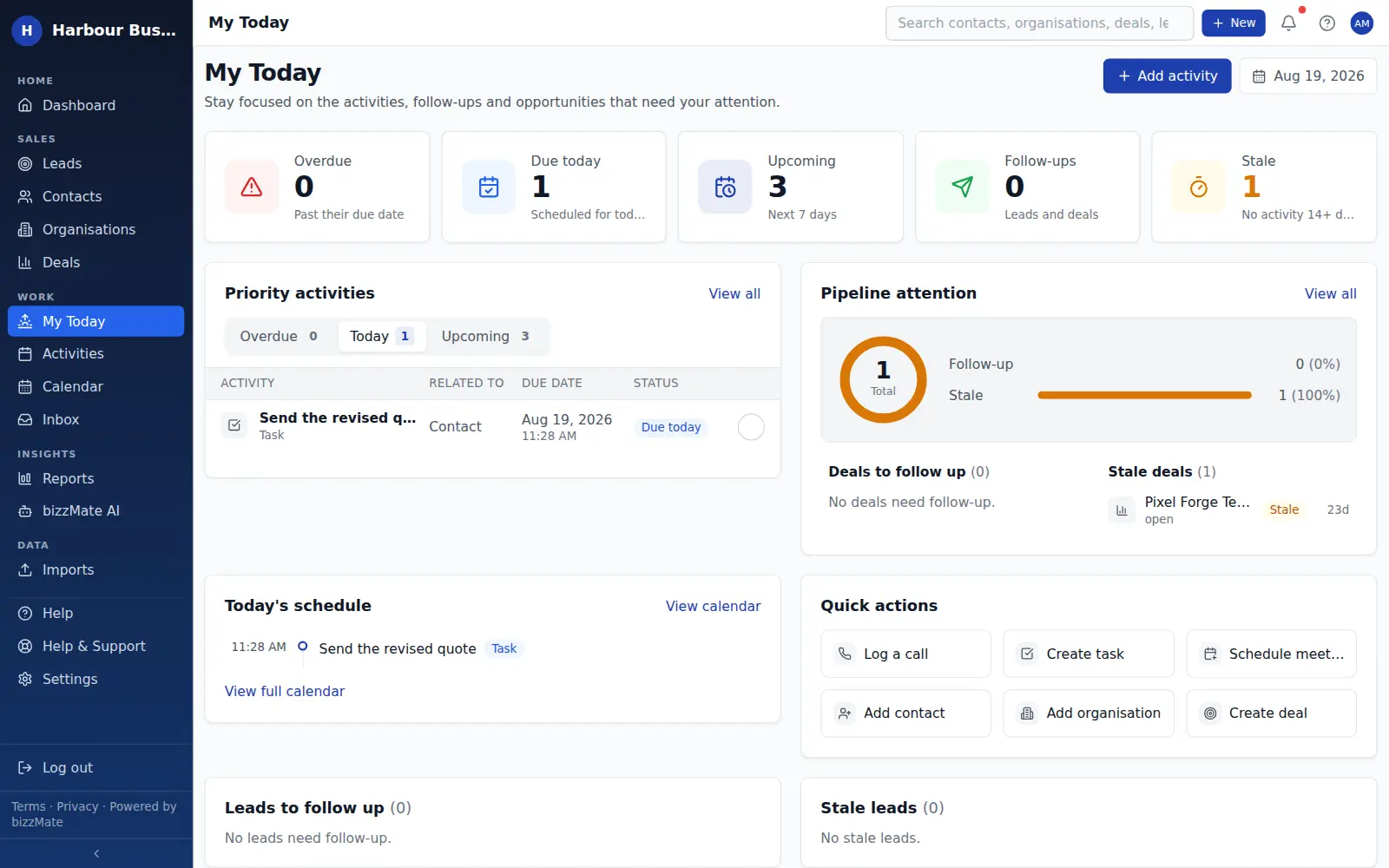
Today's focus lists the specific overdue and upcoming activities with a link straight to the record, capped at a readable handful rather than an endless queue.
Stalled deals in front of you
The deals that have not moved, with their value and how long they have been sitting there, so the weekly review has a starting point.
Scoped to your role
Members see their own work; owners and admins see the whole workspace. The scope is enforced by the server, and the page says which one you are looking at.
In the product
What this looks like day to day
How it works
How it fits a working day
Step 1: Open it first thing
Read the four cards. If the pipeline moved and nothing is overdue, you are having a good day.
Step 2: Clear today's focus
Work down the overdue list. Each row links straight to the customer, so there is no hunting.
Step 3: Deal with what has gone quiet
Stalled deals need a decision, not a reminder. Schedule something real or close them out.
Frequently asked questions
- Can I change what is on the dashboard?
- The dashboard layout is fixed, deliberately — it is designed around one job, which is telling you what needs attention this morning. Deeper analysis lives in the reports workspace, where you can filter by period and owner.
- Does a member see the whole company's numbers?
- No. Members see their own performance; owners and admins see workspace-wide figures. That boundary is enforced on the server, not by hiding elements in the browser.
Explore related capabilities
- ReportingWon revenue, weighted pipeline, win/loss reasons and sales cycle.
- Sales pipelineA drag-and-drop board with your own stages and per-stage totals.
- Activities & follow-upsCalls, tasks and meetings attached to the record they belong to.
- Team & permissionsOwner, admin and member roles, enforced by the server.
Try dashboard on your own customers.
Start a free 15-day trial of bizzMate and set your workspace up in an afternoon. No credit card required.
No credit card required.