
Customer workspace
One screen. The whole customer.
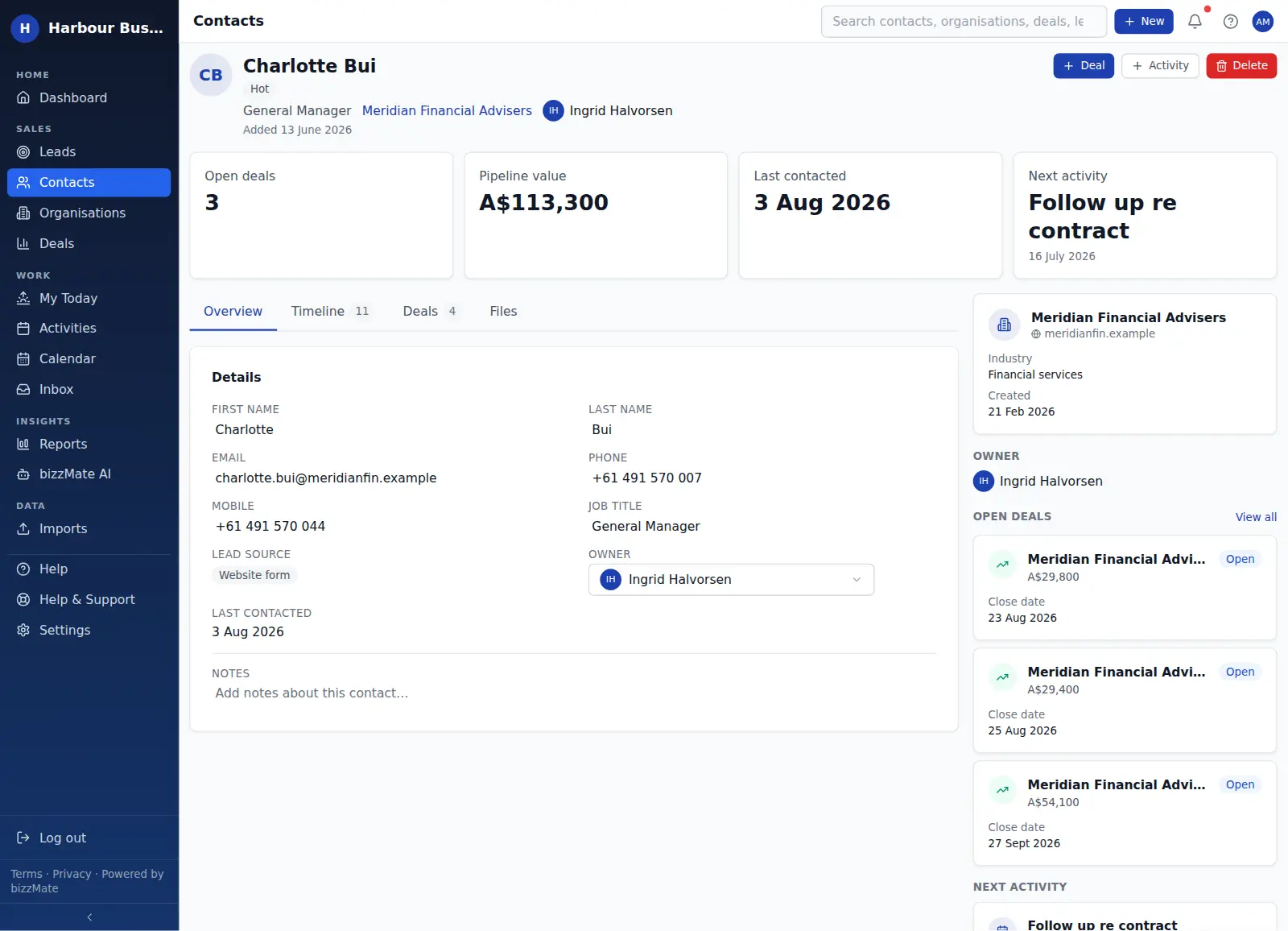
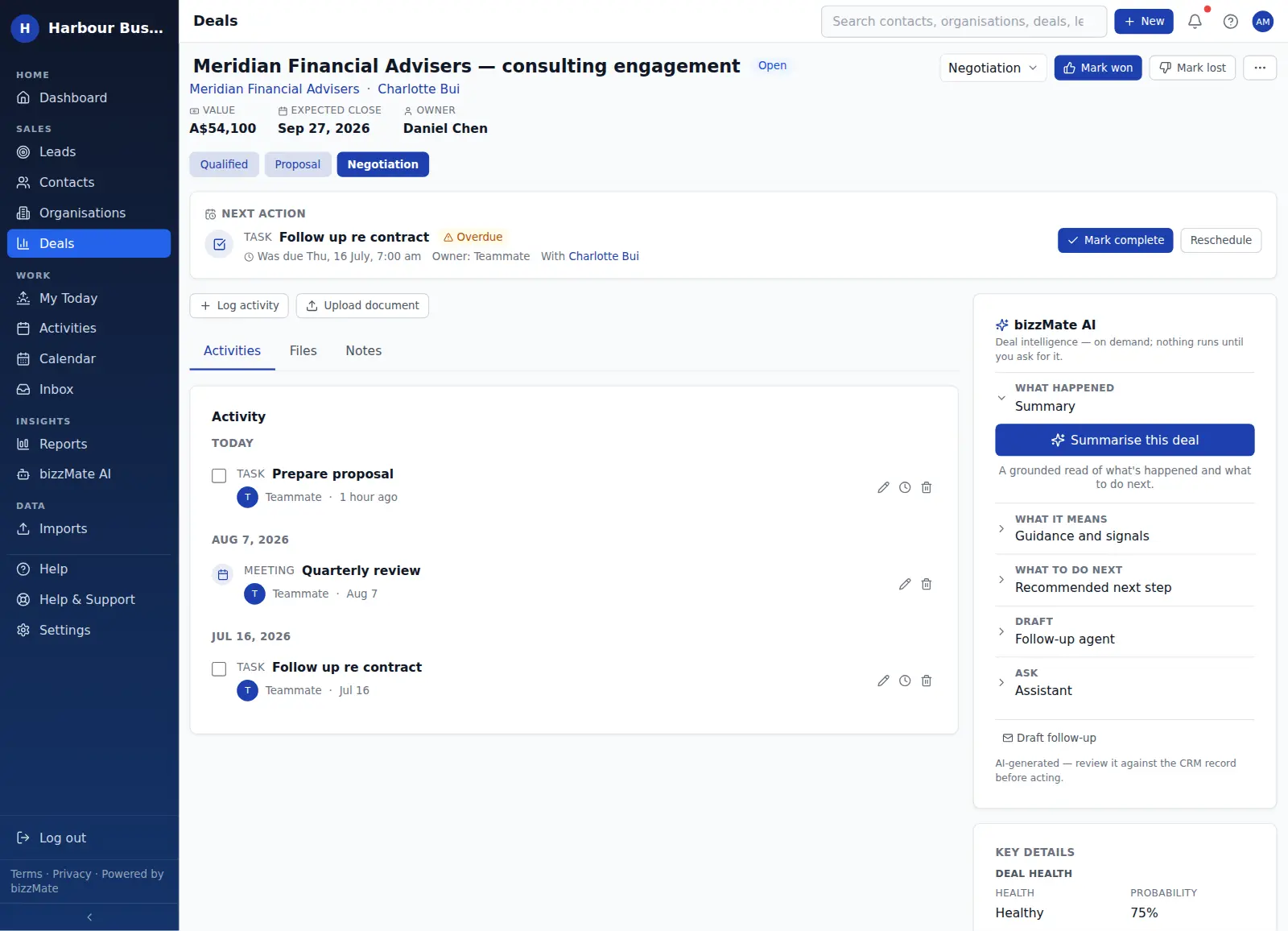
Contacts, organisations and deals all open as a workspace rather than a form: the key numbers across the top, the detail and history in the middle, and the related records you actually need beside them.
No credit card required · Set up in minutes · AUD pricing
Why it matters
What customer workspace is for
Most CRMs make you open four tabs to answer one question. The workspace layout exists so you do not have to.
Open deals, pipeline value, last contacted and next activity sit across the top. Below that, tabs for the detail, the timeline, the related deals and the files. Beside it, the organisation, the owner and the next action.
At a glance
- A consistent layout across contacts, organisations and deals
- Key figures calculated from the record's own data
- Tabs for detail, timeline, related deals and files
- A context rail with the linked organisation, owner and next activity
- Edit in place — no separate edit screen
Capabilities
What it actually does
Every item below is a shipped part of bizzMate today — not a roadmap entry.
A summary strip that is actually useful
Open deals, pipeline value, last contacted and next activity — four figures that tell you the state of the relationship before you read anything else.
Inline editing
Change a job title, a phone number or an owner in place. There is no separate edit mode to enter and exit.
Files where they belong
Upload documents to the record they relate to. They appear on the Files tab and in the timeline, so a contract sits with the deal it belongs to.
Actions in reach
Create a deal, log an activity or ask bizzMate AI for a summary from the record itself, without losing your place.
The same shape everywhere
Because contacts, organisations and deals share the layout, you learn it once. That matters when you are onboarding someone new in a week, not a quarter.
In the product
What this looks like day to day
How it works
How it fits a working day
Step 1: Open the record you are about to work on
From search, the dashboard, the pipeline, or a link in an activity — every route lands you in the same workspace.
Step 2: Read the strip, then the timeline
The four figures tell you where things stand. The timeline tells you how they got there.
Step 3: Do the next thing without leaving
Log the call you just made, schedule the follow-up, update the deal stage — all from the record you are already looking at.
Frequently asked questions
- Do contacts, organisations and deals all look the same?
- They share the same structure — summary strip, tabs, context rail — but each shows what is relevant to it. A deal workspace leads with value, stage and close date; a contact leads with the person and their history.
- Can I attach files to a record?
- Yes. Documents can be uploaded to contacts, organisations and deals, and they appear both on the Files tab and in the record's timeline.
Explore related capabilities
- Customer timelineCalls, notes, files and synced email in one chronological thread.
- Contact managementPeople, roles, ownership and when you last actually spoke.
- Deal managementValue, stage, owner, close date — and an honest outcome.
- Practical AIGrounded summaries and drafts you review before anything happens.
Try customer workspace on your own customers.
Start a free 15-day trial of bizzMate and set your workspace up in an afternoon. No credit card required.
No credit card required.