
bizzMate Desk
Customer support that stops living in a shared inbox.
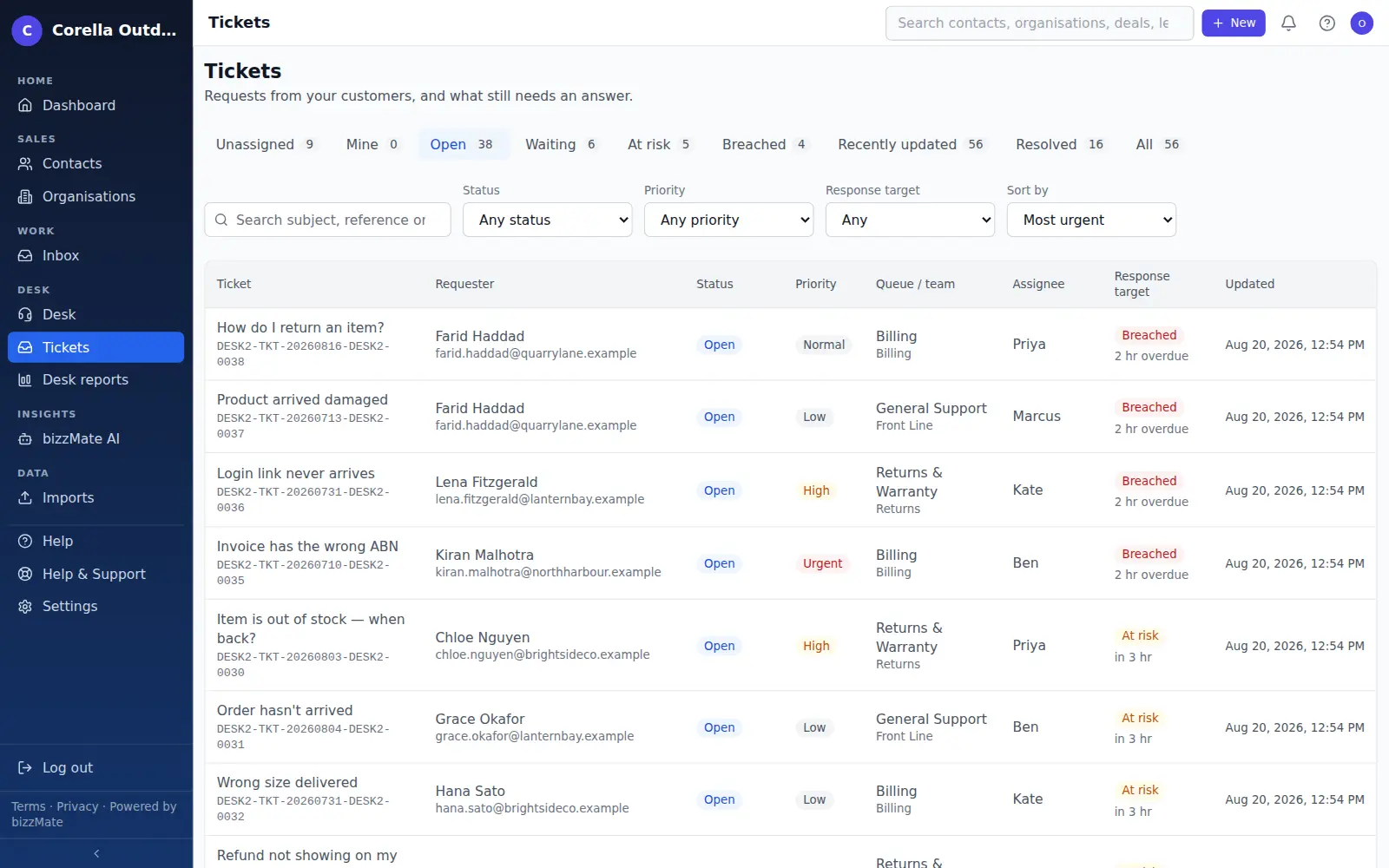
Support email becomes a tracked ticket with an owner, a queue and a due time — attached to the customer it came from, so the history survives the person who handled it.
No credit card required · Set up in minutes · AUD pricing
Who it is for
If this sounds like your week
Support arrives at a shared mailbox that three people watch and nobody owns. Two of you reply to the same message; the third one nobody replies to at all.
You cannot answer 'how long did that take us?' because the evidence is spread across four inboxes and a group chat.
When someone is on leave, their conversations become invisible rather than reassigned.
At a glance
- Support email becomes a tracked ticket automatically
- Queues, teams and manager/agent roles
- Routing rules that show their reasoning
- SLA targets measured against your business hours
- Internal notes and saved replies
- Held Mail review, so nothing is silently lost
Capabilities
What it actually does
Every item below is a shipped part of bizzMate today — not a roadmap entry.
Email in, ticket out
Connect a support mailbox and incoming mail becomes a ticket automatically, threaded onto the existing conversation where it belongs. Replies to an existing ticket join it rather than starting a new one.
Queues and teams
Group your agents into teams and route work into queues, so a request reaches the people who can answer it instead of one undifferentiated pile. Desk roles distinguish a manager from an agent.
Routing rules you can inspect
Rules decide where a ticket lands, and the ticket shows you why it landed there. Routing you cannot explain is routing nobody trusts.
SLAs that understand your working week
Response and resolution targets measured against your own business hours, with pause semantics for time spent waiting on the customer, and a clear mark when a target is breached.
A real ticket lifecycle
Open, in progress, waiting, resolved and closed — with reopens counted, so 'resolved' means something you can measure rather than a button someone pressed.
Internal notes and saved replies
Discuss a ticket with your team on the ticket itself, in notes the customer never sees. Keep the answers you send often as saved replies rather than retyping them.
Held Mail, so nothing is silently dropped
Mail that cannot be safely attached to a ticket — a forged reference, an unrecognised sender, an attempt to append to another workspace's conversation — is held for a human to review instead of being discarded or misfiled.
Support reporting
Volume, where time is going and how targets are being met, from your own tickets.
A reference the customer can quote
Every ticket carries a public reference, so a customer can quote it and anyone on your team finds the conversation immediately.
How it works
How it fits a working day
Step 1: A customer writes in
Their email lands as a ticket on your desk, matched to their contact record where one exists, with the sender and the claim they make about themselves kept separate.
Step 2: It reaches the right team
Routing rules put it in a queue, an agent picks it up or is assigned it, and the SLA clock runs against your business hours.
Step 3: It gets answered, and it stays findable
The reply, the internal discussion and the resolution stay on the ticket and on the customer's record, so the next conversation starts informed.
Choosing at signup
How to pick this when you sign up
Signup asks what you would like bizzMate to help you with. For bizzMate Desk, choose “Support customers” — Manage customer enquiries, tickets and your support team. You can change it later without starting a new workspace.
Frequently asked questions
- Can I use my own support address?
- Yes. You configure a mailbox for your workspace and bizzMate polls it, turning incoming mail into tickets on your desk. The mailbox belongs to you.
- What happens to email that looks wrong?
- It is held rather than dropped. Mail carrying a forged ticket reference, or trying to append to a conversation in another workspace, goes to Held Mail for a person to look at. Losing a customer's message quietly is the worst possible failure, so the system refuses to do it.
- Does Desk use AI?
- Not today. bizzMate's AI features are part of the sales side of the product — summaries, drafts and next best action on your CRM records. Support tickets are handled by your team, not drafted by a model.
- Do support tickets connect to our customer records?
- Yes, that is the point of running support here rather than in a separate tool. A ticket's requester is matched to a contact in your own workspace, so support history and the rest of the relationship sit together.
- What does Desk cost?
- The same as every other bizzMate product. There is no separate Desk price and no per-agent seat charge — you pay the same per-user plan whichever product you choose. Solo is A$10, Pro is A$25 and Business is A$45 per user, per month.
Try bizzMate Desk on your own customers.
Start a free 15-day trial and set your workspace up in an afternoon. No credit card required.
No credit card required.