
Customer support
Answer customers without losing the rest of the relationship.
Support conversations belong on the same customer record as the deal that created them. bizzMate Desk keeps tickets, queues, routing and replies beside the relationship the rest of the business already works from.
No credit card required · Set up in minutes · AUD pricing
Why it matters
What customer support is for
In most small businesses, support lives in a shared inbox and everything else lives in the CRM, and neither side can see the other. The customer notices: they explain the same problem twice, or hear a renewal pitch the week after a complaint went unanswered.
Putting the ticket on the customer record closes that gap. The person answering can see the open deals and the history; the person selling can see whether anything is outstanding.
At a glance
- Support email becomes a tracked ticket automatically
- Queues and teams, so work reaches the right people
- Routing rules that show why a ticket landed where it did
- SLA targets measured against your own business hours
- Internal notes the customer never sees
- Held Mail review, so nothing is silently dropped
Capabilities
What it actually does
Every item below is a shipped part of bizzMate today — not a roadmap entry.
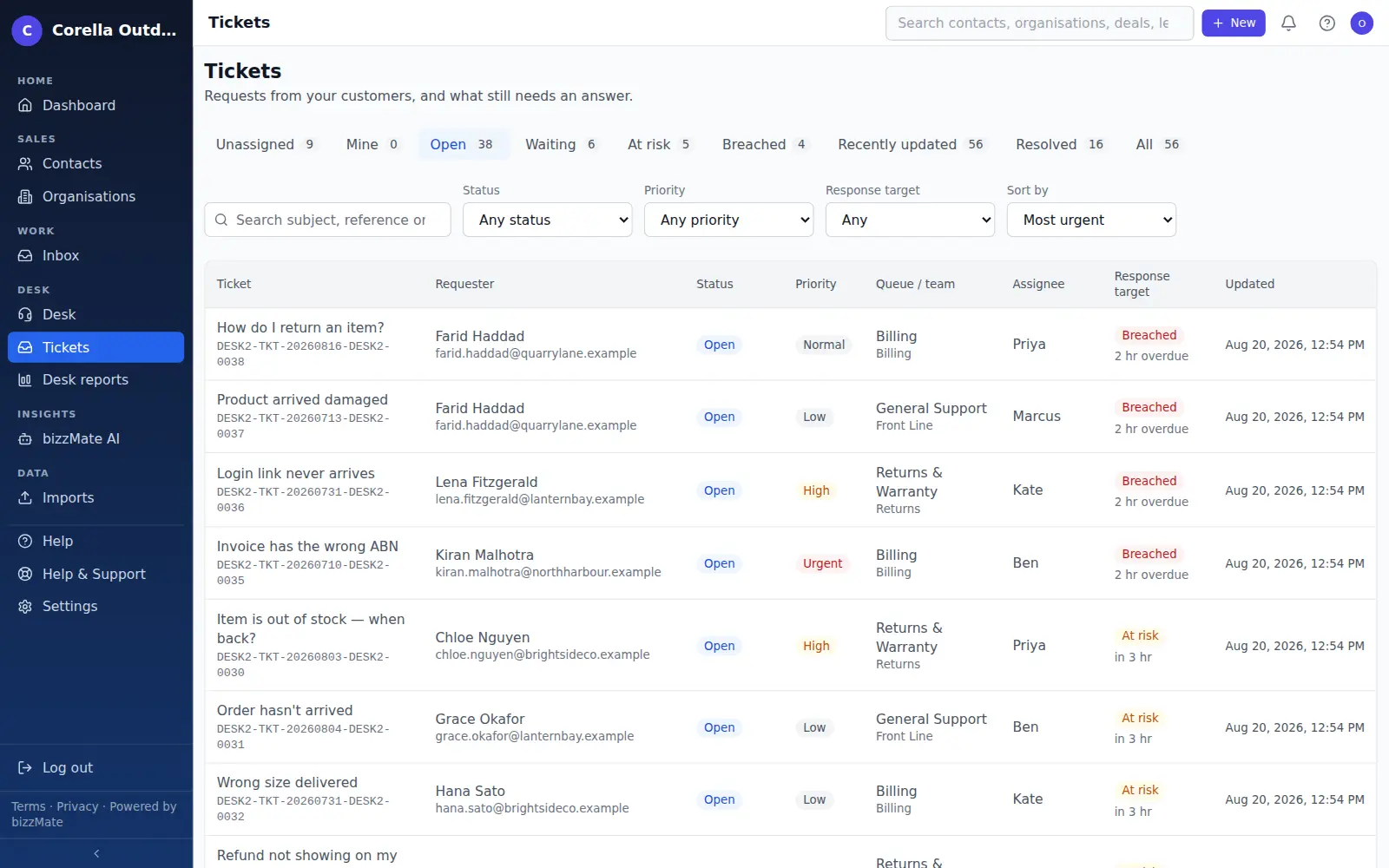
Tickets on the customer record
A ticket is raised against a contact and their organisation, so it appears on the same timeline as the calls, notes and deals for that relationship.
Support email in, tickets out
Connect your own support mailbox and incoming mail becomes a ticket, threaded onto the existing conversation when it is a reply rather than starting a duplicate.
Queues, teams and desk roles
Group agents into teams and route incoming work into queues, so a ticket lands with the people who can answer it. Desk roles distinguish a manager from an agent.
Routing you can explain
Rules decide where a ticket goes, and the ticket itself records why it went there. Routing nobody can inspect is routing nobody trusts.
SLAs and business hours
Response and resolution targets measured against your working week, paused while you are waiting on the customer, and marked clearly when a target is breached.
Internal notes and saved replies
Discuss a ticket with your team on the ticket itself, separated from customer replies and never visible to them. Keep the answers you send often as saved replies.
Held Mail
Mail that cannot be safely attached to a ticket — a forged reference, an attempt to append to another workspace's conversation — is held for a person to review rather than discarded or misfiled.
A reference customers can quote
Each ticket carries a public reference, so a customer can quote it and anyone on your team can find the conversation instantly.
Permission-controlled access
Support access is granted by role and enforced on the server. Seeing a customer's tickets does not silently grant access to the rest of their record.
In the product
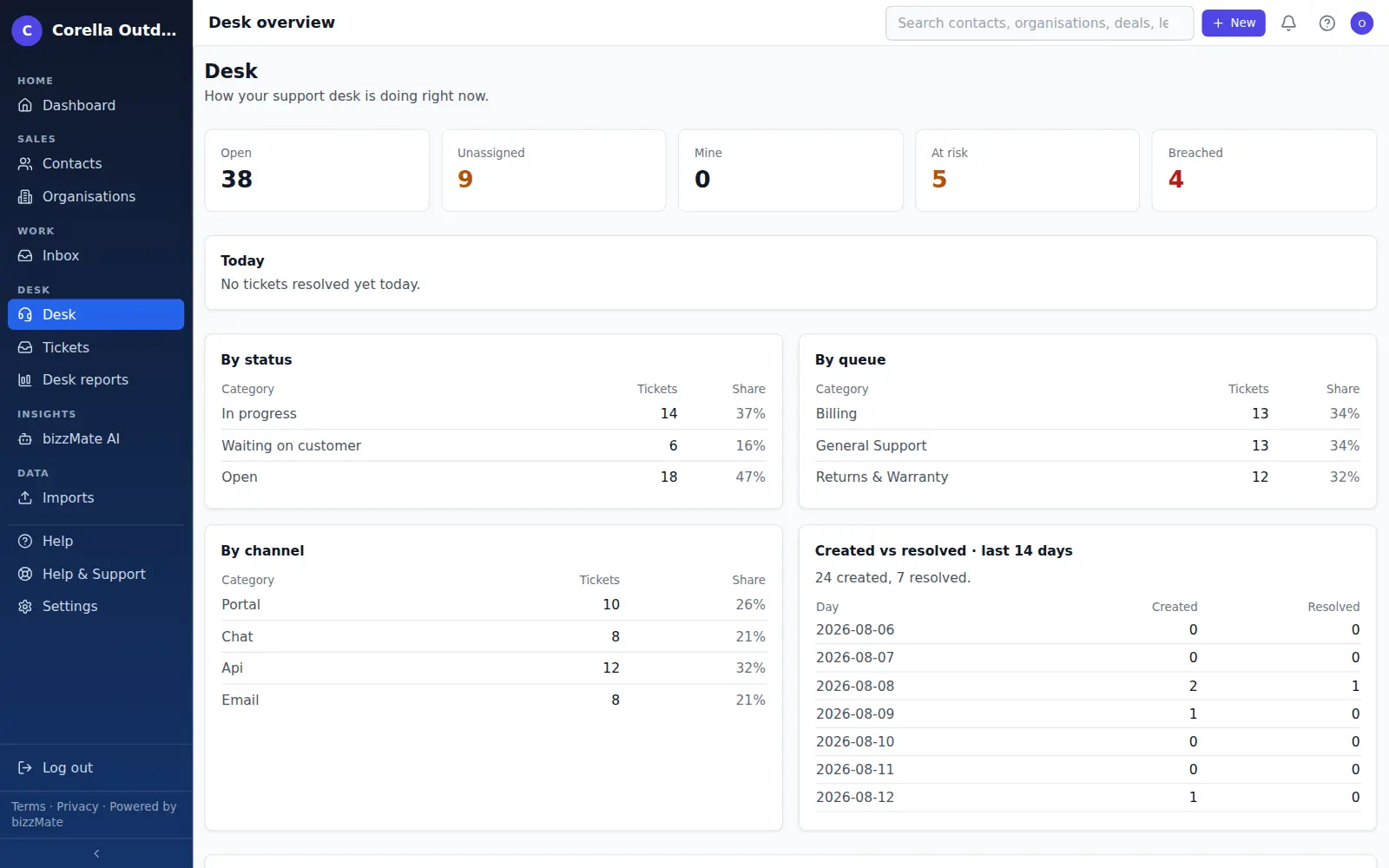
What this looks like day to day
How it works
How it fits a working day
Step 1: The request arrives
A customer emails your support address and it becomes a ticket against their contact record, with the organisation and open deals already attached.
Step 2: It reaches the right person
Routing puts the ticket in a queue and an agent takes it, with a status, a priority and an SLA clock running against your business hours.
Step 3: The relationship stays whole
The reply and the resolution stay on the customer timeline, so the next conversation — sales or support — starts knowing what already happened.
Frequently asked questions
- Does support see everything in the CRM?
- No. Access is controlled by role and enforced on the server, not hidden in the interface. Working a customer's tickets does not automatically grant access to every deal and record attached to them.
- Does the support side use AI?
- Not today. bizzMate's AI features — summaries, drafts and next best action — are part of the sales side of the product. Support tickets are handled by your team.
- Which bizzMate product includes this?
- Customer support is the bizzMate Desk product, available on its own or as part of bizzMate Complete alongside the sales side. You choose at signup, and the plan price is the same either way.
Explore related capabilities
- Customer timelineCalls, notes, files and synced email in one chronological thread.
- Customer workspaceOne screen per record: detail, timeline, related deals and files.
- Contact managementPeople, roles, ownership and when you last actually spoke.
- Team & permissionsOwner, admin and member roles, enforced by the server.
Try customer support on your own customers.
Start a free 15-day trial of bizzMate and set your workspace up in an afternoon. No credit card required.
No credit card required.