
Activities & follow-ups
Never lose the next action.
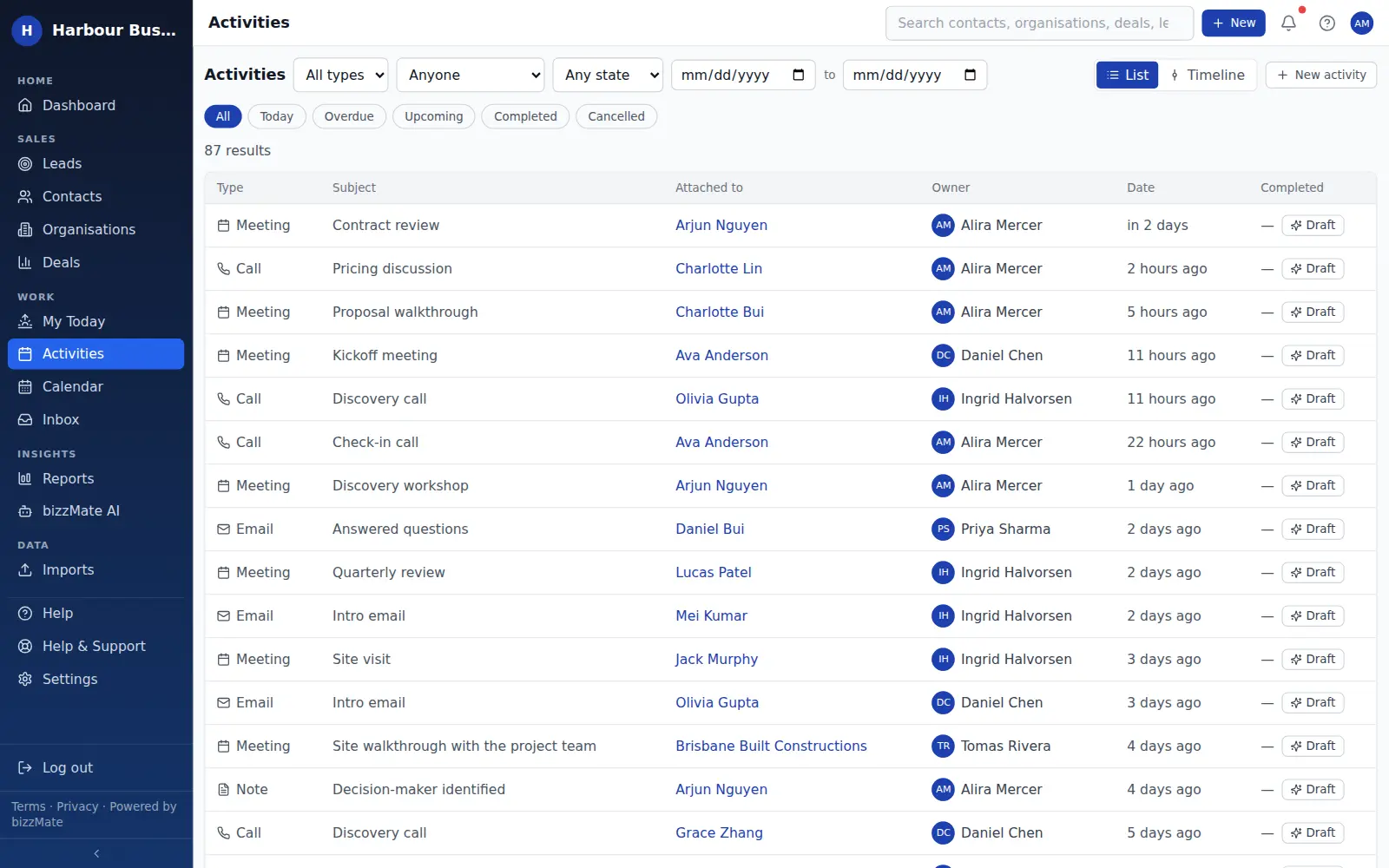
Calls, tasks and meetings live on the contact, organisation or deal they belong to — and bizzMate keeps showing you what is overdue, what is due today and what is coming, until it is done.
No credit card required · Set up in minutes · AUD pricing
Why it matters
What activities & follow-ups is for
The single most common reason a small business loses a deal is that nobody followed up. Not price, not product — follow-up.
bizzMate treats the next action as part of the record rather than something that lives in a separate to-do app, which is why it is still there when you come back on Monday.
At a glance
- Calls, tasks, meetings, emails and notes
- Attached to a contact, organisation, deal or lead
- Due dates with overdue, due-today and upcoming grouping
- An owner per activity, so it is assigned to a person
- Completion and cancellation as separate, honest outcomes
- In-app notifications when something falls due
Capabilities
What it actually does
Every item below is a shipped part of bizzMate today — not a roadmap entry.
Activities that belong to something
Every activity links to the record it came from, so a task is never an orphan and the timeline stays complete.
One personal queue
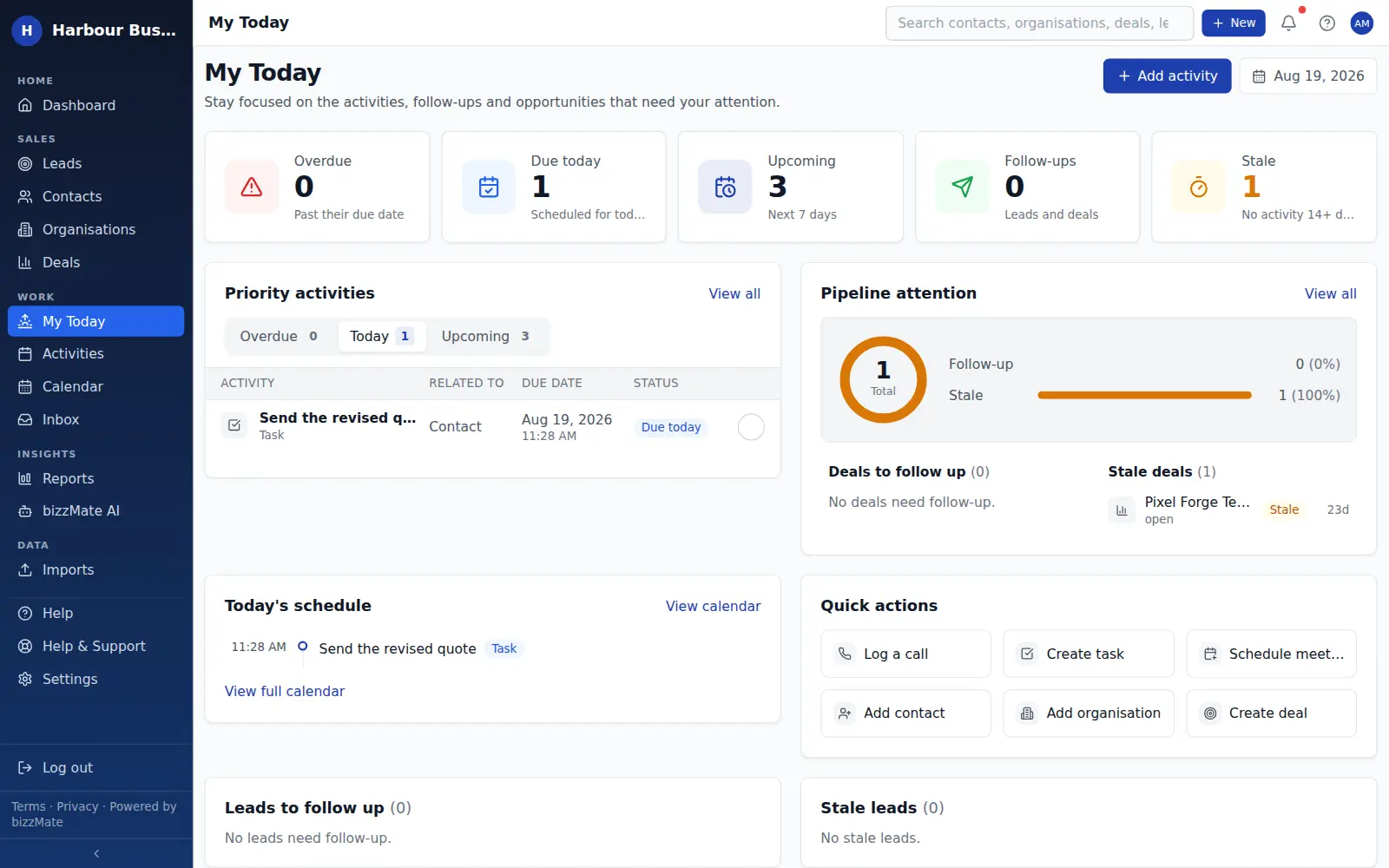
My Today collects your overdue, due-today and upcoming work, plus the deals and leads needing follow-up, so an individual has one place to start the day.
Cancelled is not completed
An activity that is no longer relevant can be cancelled with a reason, which is different from being done. That keeps your activity reporting honest.
A calendar view of everything scheduled
The same activities appear on a calendar, so you can see the shape of the week rather than a flat list.
Follow-up gaps made visible
The pipeline flags open deals with no follow-up scheduled, so "I'll get to it" does not quietly become never.
In the product
What this looks like day to day
How it works
How it fits a working day
Step 1: End every interaction by booking the next one
Log the call and schedule the follow-up in the same step, from the record you are already on.
Step 2: Start the day in My Today
Overdue first, then today, then what is coming. Everything links straight back to the customer it belongs to.
Step 3: Close the loop
Mark it complete, or cancel it with a reason. Either way the record tells the truth about what happened.
Frequently asked questions
- Will bizzMate remind me about follow-ups?
- Yes, inside the product. Overdue and due-today work is surfaced on the dashboard, in My Today and on the activities list, and bizzMate raises in-app notifications for activities assigned to you.
- Can I assign a follow-up to a colleague?
- Yes. Activities have an owner, so you can create the task and assign it to whoever needs to do it. It then appears in their My Today rather than yours.
- Does bizzMate send the follow-up email for me?
- No. bizzMate AI can draft a follow-up message for you to review, but nothing is sent automatically and bizzMate does not send email on your behalf. Sending stays with you.
Explore related capabilities
Try activities & follow-ups on your own customers.
Start a free 15-day trial of bizzMate and set your workspace up in an afternoon. No credit card required.
No credit card required.