
Customer timeline
The whole relationship, in one thread.
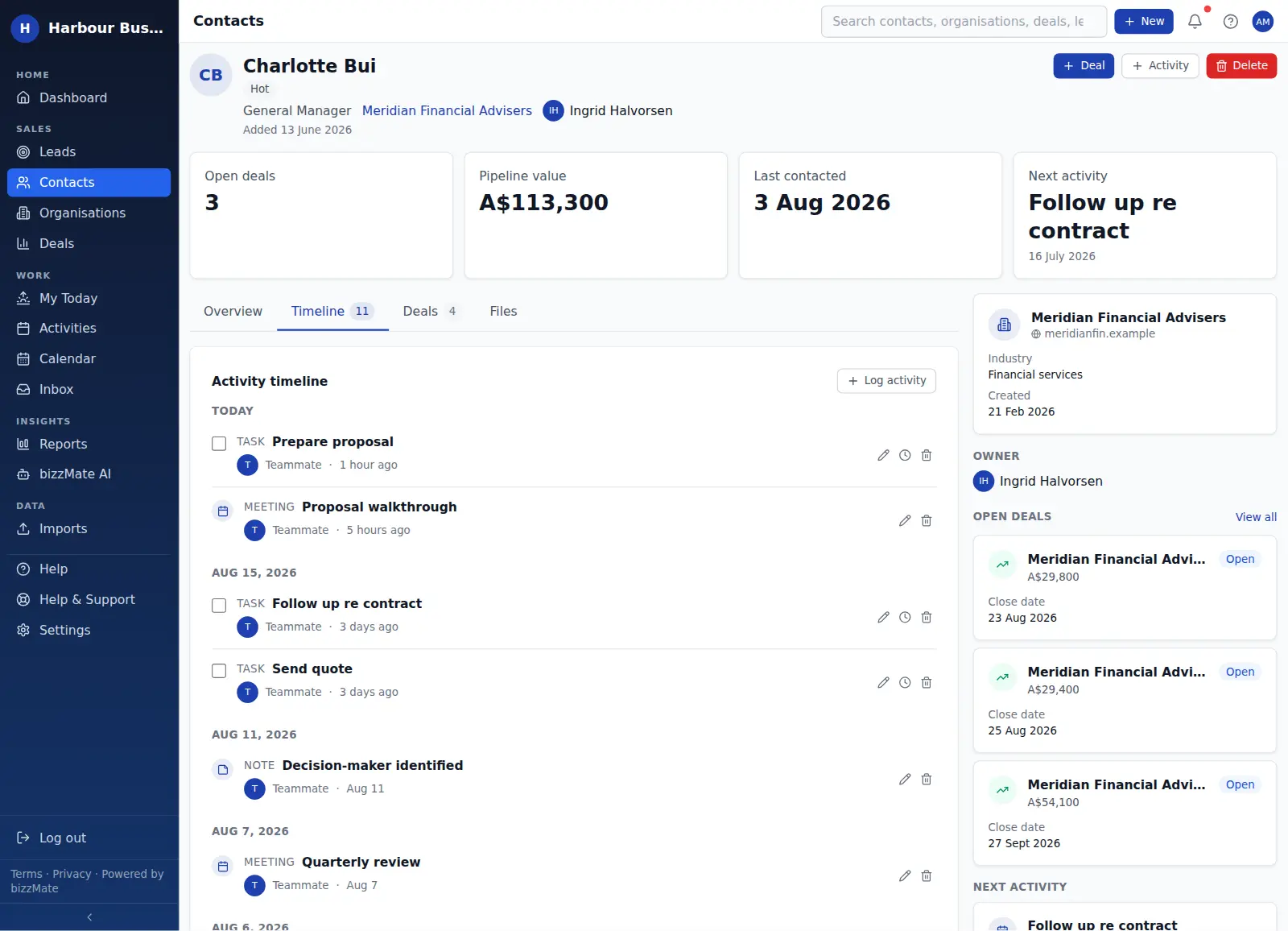
Every contact, organisation and deal in bizzMate has a timeline: what was said, what was sent, what was agreed and what is still outstanding — in order, attributed, and readable by anyone on the team.
No credit card required · Set up in minutes · AUD pricing
Why it matters
What customer timeline is for
The most expensive question in a small business is "what happened with this customer?" — because answering it means searching an inbox, asking a colleague, and hoping somebody wrote it down.
The bizzMate timeline is the answer to that question. It is one chronological thread per record, built from the things your team actually did.
At a glance
- Calls, meetings and tasks as they were logged
- Notes captured against the record
- Files uploaded to the record
- Email from a connected Microsoft 365 mailbox (read-only)
- Grouped by today, yesterday and this week
- Filterable by kind
Capabilities
What it actually does
Every item below is a shipped part of bizzMate today — not a roadmap entry.
Four kinds of history in one stream
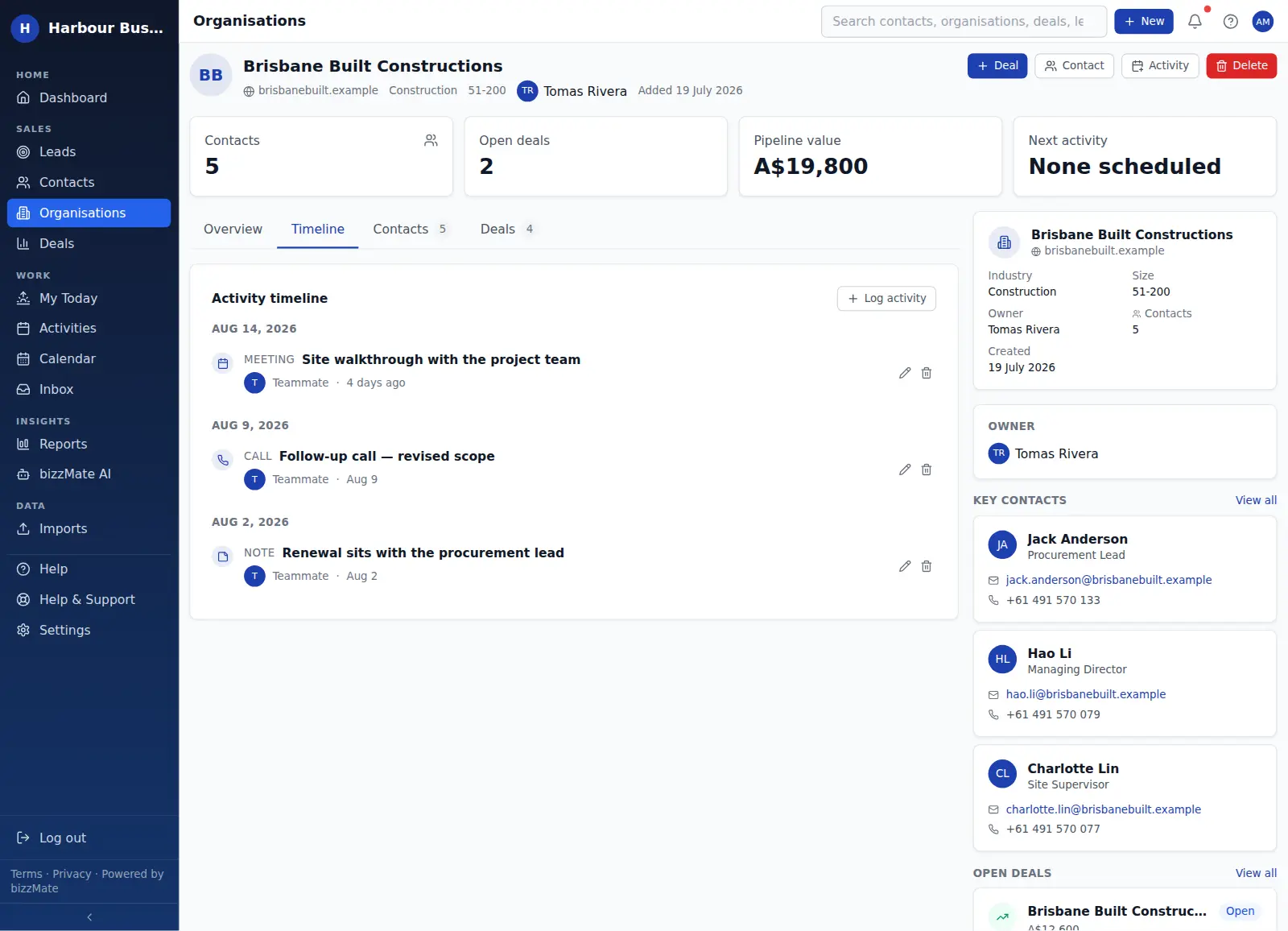
The timeline merges activities, notes, documents and synced email into a single feed, sorted by when things actually happened rather than when they were entered.
Attribution you can trust
Each entry shows who logged it and when, so it is obvious whether the last contact was yours, a teammate's, or nobody's.
Filter down to what you need
Read just the calls before a follow-up, or just the notes before a handover, without scrolling past everything else.
The same thread at every level
The contact timeline shows that person's history; the organisation timeline aggregates the account; the deal timeline shows what has happened on that specific opportunity.
Log from where you are
Log a call, add a note or attach a file straight from the timeline without navigating away from the record you are reading.
In the product
What this looks like day to day
How it works
How it fits a working day
Step 1: Log the interaction while it is fresh
A call takes about ten seconds to record: type, subject, a line of context. That ten seconds is what makes the next conversation easy.
Step 2: Connect a mailbox if it helps
Each person can connect their own Microsoft 365 mailbox so recent email appears against the right records. It is a read-only sync — bizzMate never sends mail on your behalf.
Step 3: Read before you dial
Open the record, scan the last few entries, and start the conversation where the previous one ended.
Frequently asked questions
- Does the timeline include emails?
- It can. Each user may connect their own Microsoft 365 mailbox, and recent messages then appear on the timeline of the matching records. The sync is read-only: bizzMate does not send, reply to or delete email.
- Can I see the history for a whole company, not just one person?
- Yes. The organisation record has its own timeline that aggregates the activity logged across everyone at that company, which is what you want when a contact leaves and someone else takes over.
- Is anything deleted from the timeline automatically?
- No. Timeline entries stay until someone with permission removes the underlying activity, note or file. Data retention overall is described in the Privacy Policy.
Explore related capabilities
- Customer workspaceOne screen per record: detail, timeline, related deals and files.
- Contact managementPeople, roles, ownership and when you last actually spoke.
- Activities & follow-upsCalls, tasks and meetings attached to the record they belong to.
- Organisation managementCompany records holding every person and every open deal.
Try customer timeline on your own customers.
Start a free 15-day trial of bizzMate and set your workspace up in an afternoon. No credit card required.
No credit card required.